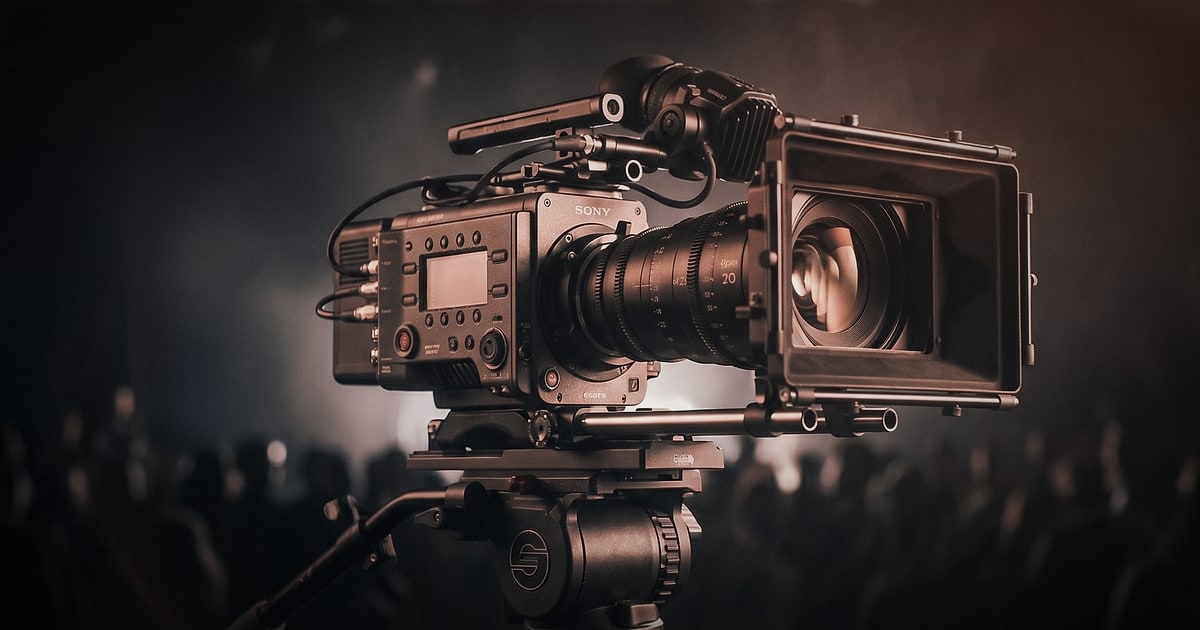
There is a particular kind of pressure that comes with live event videography. Unlike a brand film shot over two controlled days in a studio, a conference or corporate event is unpredictable by nature. Speakers run over time. Lighting changes without warning. The best moment of the entire day happens in a corridor between sessions, far from your primary camera. And yet, when it all comes together, event video is some of the most valuable content a company can own — a record of thought leadership, a marketing asset, and a piece of institutional memory all at once.
Whether you are filming a 200-person industry summit, an internal company kick-off, or a product launch event, the principles that separate forgettable footage from genuinely compelling video are the same. Here is what we have learned from being on the ground at events across Portugal, France, and beyond.
Pre-Production Is Where the Video Is Won
The biggest mistake teams make with event videography is treating it as a purely reactive exercise — show up, point camera, press record. The reality is that a well-prepared crew will capture ten times the usable content of an unprepared one working with identical equipment.
Start with a production brief, not a run sheet. Before the event, get a clear brief from the client or communications team:
- What is the primary deliverable? (Recap video, speaker highlights, social clips, full recordings?)
- Who is the target audience for the final content?
- Are there specific speakers, moments, or brand messages that are non-negotiable?
- What are the restrictions? (Some conferences prohibit filming certain sessions or attendees.)
Build a shot list, not a script. Events cannot be scripted, but you can anticipate the types of shots you need: wide establishing shots of the room, medium two-shots of speakers with the audience in background, close-ups of hands on keyboards, reaction shots, signage, sponsor walls, and candid networking moments. A shot list keeps the team aligned without making the coverage feel mechanical.
Camera Setup and Multi-Camera Strategy
For any event beyond a small internal meeting, a single camera is a risk. If something goes wrong — a battery dies, a card fills up, a shot is blocked — you have no coverage. More importantly, single-camera event footage tends to feel flat and televisual in a way that does not hold modern audiences.
The minimum viable multi-camera setup for a conference:
- Camera A (locked-off wide): Positioned at the back or on a riser, this camera covers the full stage and serves as your safety net. It records continuously and gives your editor a reference frame to return to.
- Camera B (roving medium/close): Operated by a second camera operator, this camera captures the dynamic shots — speaker close-ups, audience reactions, detail inserts, and spontaneous moments.
- Camera C (optional but powerful): A smaller mirrorless or cinema camera placed at a side angle or even on a jib/slider for cinematic b-roll of the room.
Lens choice matters more than camera body. A fast prime lens (35mm or 50mm f/1.8 or faster) allows you to shoot in low-light conference environments without pushing ISO to grain-heavy levels. Zoom lenses (a 24-70mm f/2.8 is the workhorse choice) give you flexibility when you cannot physically reposition between moments.
Audio: The Element That Makes or Breaks Event Video
Ask any experienced video editor what separates a watchable conference recording from one they would rather delete, and the answer is almost always audio. Bad visuals can be partially rescued in post-production. Bad audio cannot.
The three-source audio rule: Whenever possible, capture audio from three independent sources simultaneously: 1. A direct feed from the venue's PA system — This is the cleanest source for speaker audio and should always be your first call when speaking to the AV team. 2. A wireless lavalier microphone on the primary speaker — Especially important for keynote speakers or panel moderators, where vocal clarity is critical. 3. A camera-mounted or boom shotgun microphone — This captures the room ambience and serves as a backup. It also picks up audience laughter, applause, and questions, which are editorially valuable.
Always arrive early enough to do a full sound check before attendees enter the room. And always record a few minutes of room tone — the ambient sound of the empty venue — which your sound designer or editor will thank you for in post.
Capturing the Atmosphere, Not Just the Content
A conference is not just a sequence of talks. It is an atmosphere, a community, an energy. The most impactful event recap videos understand this and build their narrative accordingly.
Think cinematically about the day's arc:
- The arrival: People registering, greeting colleagues, checking phones, coffee in hand. These moments establish context and humanity.
- The anticipation: The room filling up, the AV team doing final checks, speakers rehearsing. Behind-the-scenes footage builds intimacy.
- The keynote: Capture not just the speaker but the audience — the nodding heads, the phones raised to photograph a slide, the person scribbling furiously in a notebook.
- The breaks: Hallway conversations are often where the real networking happens. Candid, unposed footage of genuine interaction is editorial gold.
- The closing: Applause, handshakes, the gradual emptying of the venue. These shots signal resolution and give your editor room to breathe at the end of the piece.
Working With Speakers and Stakeholders on the Day
One of the underappreciated skills in live event videography is human management. You are operating in a space that belongs to your client, and where many of the most important people in the frame are not professional talent.
Brief your key speakers before they go on. A 60-second conversation — "We have a camera at mid-distance on your left, please avoid turning your back to that side if possible" — can meaningfully improve your footage without making anyone feel like an actor.
Designate a point of contact. On the day, you need one person from the client's team who can give you real-time information: session changes, VIP arrivals, off-limits areas. Without this, you will miss things.
Respect the event first, the camera second. The crew's movements should never disrupt the event. A great shot that requires walking in front of the audience is not worth it. This is a discipline that comes with experience — knowing when to hold your position and when to move.
Post-Production: Shaping the Story
The footage you bring back from an event is raw material. The video your client shares on LinkedIn, plays at their next board meeting, or sends to press — that is the product of post-production.
Start with a clear edit brief before you touch the timeline. What is the duration of the final deliverable? What is the tone — inspirational, informational, documentary? Is there a music track already chosen? Are there graphics or lower thirds required for speaker names and titles?
The recap video structure that consistently performs: 1. A punchy cold open (15–30 seconds) with fast cuts, music, and energy to establish the scale and atmosphere 2. A narrative middle section featuring the event's key messages, woven together from speaker audio and supporting visuals 3. A closing beat that reinforces the brand — a logo card, a memorable quote, a final wide shot
Colour grading, motion graphics, and sound design are not finishing touches — they are storytelling tools. A warm, slightly desaturated grade says something different about your brand than a clean, high-contrast corporate look. Our post-production team works closely with clients to ensure the visual language of the edit matches their brand identity.
Planning Your Next Event — A Checklist
Before your next corporate event, run through this quick checklist:
- [ ] Deliverables clearly defined (formats, durations, platforms)
- [ ] Venue recce completed
- [ ] Shot list prepared and shared with crew
- [ ] Multi-camera setup confirmed
- [ ] Three-source audio plan in place
- [ ] AV team contact established
- [ ] Speaker briefings scheduled
- [ ] Post-production timeline and brief agreed
The Long Game: Event Content as a Content Pillar
A single well-produced conference video does not have to be a single asset. With thoughtful planning, one event can yield a full-day's filming that feeds a content calendar for months: a 3-minute highlight reel for the website, individual speaker clips for LinkedIn, a short Instagram cut, and a full-length recording for an internal knowledge base.
This is the philosophy we bring to every event production — thinking downstream, from the first frame to the final post. Great live event videography is not about reacting to what happens in the room. It is about building a system that captures, shapes, and delivers the story your brand needs to tell.
The best events deserve more than a recording. They deserve a film.